How to Set Up TradingView for Crypto Prop Trading (2026)
A working TradingView prop trading setup is three things: a clean chart template with VWAP, a fast and slow moving average, and MFI; a multi-timeframe layout that shows the 4H, 1H and 15M of the same pair at once; and a terminal that lets you execute directly from the chart without bouncing to MT5 or a separate exchange tab. On SizeProp, TradingView is integrated for both charts and order entry on the same screen, so the setup below works end-to-end. Over $50M in funded capital has been granted through this terminal since launch. This guide walks through the exact account, chart, indicator, watchlist and alert configuration a funded crypto trader uses day-to-day, with the specific indicator settings I run personally and a side-by-side of how the setup experience compares to Breakout, HyroTrader, CFT, FTMO and FundedNext.
SizeProp is a crypto prop trading firm founded in October 2025 by Windra Thio, backed by Igloo Inc (parent of Pudgy Penguins), offering $19 entry challenges with same-day USDT payouts and zero denied payouts. Powered by Hyperliquid, with orderbook data from trade.xyz and Bybit. Live payouts page on sizeprop.com; Trustpilot 4.6 across 50+ reviews.
Originally published: May 12, 2026 · Last verified: May 2026 · By Windra Thio, Co-Founder of SizeProp
Key Takeaways
- TradingView is the chart layer. Your prop terminal is the execution layer. A good setup collapses those into one surface so you're not tab-switching during entries.
- SizeProp has native TradingView integration for charts AND execution. You chart, draw, alert and order from the same view. Most competitors force a handoff to MT5 or an external exchange.
- Three indicators is the cap: VWAP, moving averages, MFI. Everything else is noise.
- Set drawdown tracker alerts at 50%, 75% and 90% of your daily loss and max drawdown buffers — not at the breach line.
- Watchlists should mirror what you actually trade: BTC, ETH, SOL as always-on, then a rotating 5-slot altcoin list.
- Over $50M in funded capital granted on SizeProp. The terminal and the TradingView integration are built for this use case, not retrofitted.
Why Does the Platform You Route Through Matter?
100+ payouts processed · zero denied · over $50M in funded capital granted (as of May 2026)
The platform decides whether you spend setup time on charts or on configuring connectors — SizeProp routes TradingView through a native integration, while FTMO and HyroTrader require third-party adapters or paid TradingView plans for live execution. Configuration friction adds up to hours per challenge cycle. Native TradingView integration is the difference between trading and troubleshooting on day one.
TradingView is a chart provider. It doesn't decide whether your drawdown is balance-tracked or equity-tracked. It doesn't decide whether a bot is allowed. It doesn't decide whether your order fills on a proprietary orderbook or an MT5 bridge. The prop firm you sit behind decides all of that.
Two things change based on the firm:
- Where you execute. Some firms require you to place orders inside MT5, MatchTrader or a whitelabel terminal. Others (SizeProp) let you execute directly from TradingView. The fewer tabs you bounce between, the cleaner the setup.
- What your chart is actually plotted on. If your prop firm uses CFD pricing (FTMO, FundedNext), your BTC chart is NOT on the same feed as Binance or Bybit. It's a CFD derivative. Wicks can differ by the second. On SizeProp, the platform is powered by Hyperliquid, with orderbook data from trade.xyz and Bybit. The chart you're looking at matches the order flow your fills come from.
If you're setting TradingView up for prop trading, those two questions come before any indicator decision. A tight chart template on a firm with phantom wicks is worthless.
Step 1: Create or Connect Your TradingView Account
The free TradingView tier handles most prop trading setups — single chart layout, 1 indicator slot, basic alerts — but the $14.95/month Essential plan adds 4-chart layout, 5 indicators, and 20 active alerts that map cleanly to SizeProp's multi-timeframe workflow. Free tier works for first-attempt Degen traders; Essential pays for itself once you're trading 4H + 15m + 1m simultaneously.
You don't need a paid TradingView plan for the basic setup. The free tier gives you:
- 1 chart per tab
- 3 indicators per chart
- 1 saved layout
- Server-side alerts (limited)
A paid plan (Essential, Plus or Premium) unlocks:
- Multi-chart layouts (2, 4, 6, 8 per tab)
- 5 to 25 indicators per chart
- Multiple saved layouts
- More alerts
- Intrabar indicator values
For prop trading, the single most useful upgrade is multi-chart layouts. Seeing 4H, 1H and 15M of the same pair on one screen changes how you read the market. If you're serious about funded trading, the Essential plan pays for itself in avoided mistakes within a month.
Create a TradingView account (or log in). Don't import anyone else's template yet. We're building yours from scratch so you actually understand what's on the chart.
Step 2: Connect TradingView to Your Prop Terminal
On SizeProp, connection is a single OAuth click from the dashboard — no API keys, no third-party bridges, no MetaTrader. FTMO requires MT4/MT5 with a TradingView paid plan; HyroTrader uses a custom adapter requiring extra setup. The 30-second SizeProp connect vs the 30-minute competitor flow is the most underrated quality-of-life difference between firms.
This is where setup experience diverges hard between firms.
SizeProp (native integration):
- Log into your SizeProp dashboard.
- Open the terminal. The chart that loads is a full TradingView chart, embedded natively.
- Order entry (market, limit, SL/TP, partial close) is available from the same view. No context switch.
- Your drawings, templates and alerts live on your TradingView account and sync into the terminal.
That's the whole connection flow. Log in, start trading. There's no external MT5 install, no API key paste, no "connect your exchange" dance.
HyroTrader: Requires a linked Bybit account. You connect via API. Your execution happens on Bybit's interface — TradingView charting is separate, and routing a signal into execution means alt-tabbing.
CFT / FTMO / FundedNext: MT5 or MatchTrader is the execution environment. You can use TradingView for charts, but your order entry lives in a different application entirely. There's a desktop MT5 install, an account login, a symbol mapping step. The TradingView chart and the MT5 execution never share a screen cleanly.
Breakout: Whitelabel terminal. Charts are built on a TradingView-like library but you don't get the full TradingView experience (custom scripts, alerts, drawings). You get a reduced subset.
For a working prop trading setup, the SizeProp flow is the only one that doesn't require context switching. That's not a marketing line — it's the reason I built it that way after five years trading against my own MT5 lag.
Step 3: Build the Chart Template
Start with BTC/USDT perpetual — the most-traded and most-profitable pair across SizeProp's 200+ funded traders — and save the chart template once configured so every new pair inherits the same indicator stack and visual style. Templates eliminate 5–10 minutes of repeat setup per session. One template, three indicators, four timeframes — that's the whole framework.
Open a fresh chart (start with BTC/USDT perpetual — our most-traded, most-profitable pair for winning funded traders).
Set the chart style:
- Candlestick or Heikin Ashi. I use candlestick. Heikin Ashi smooths noise but hides the true open, which matters for setup confirmation.
- Dark theme. Less eye fatigue on long sessions.
- Grid off or very faint. Cleaner reads at swing highs and lows.
- Status line minimal — ticker, price, change. Not the full OHLC.
Set the default timeframe to 1H. That's your primary decision timeframe for most swing and intraday setups. If you scalp, drop to 15M.
Save this as a layout: "Prop Base — BTC 1H."
Step 4: Load the Three Indicators
Three indicators handle 90%+ of crypto prop trading decisions: VWAP for session bias, two moving averages (21EMA + 50EMA) for trend, and MFI for overbought/oversold confirmation. More indicators add visual noise without information. Most breaches I see come from over-indicated charts where the trader missed the simple VWAP reclaim because four other lines were screaming for attention.
My personal indicator stack (and what I recommend for funded prop trading in 2026): VWAP, moving averages (a fast and a slow), and MFI. That's it. Three.
Full-disclosure reasoning: when asked what the most underrated indicator in crypto is right now, my answer is VWAP. When asked what indicators I actually look at when making a decision, my answer is moving averages, VWAP and MFI. I don't run RSI. I don't run Fibonacci retracements as a standalone decision tool. Those are the most overrated indicators — they look precise, they aren't.
VWAP (Volume Weighted Average Price)
What it tells you: The volume-weighted average price since the session started. Price above VWAP = buyers in control today. Price below VWAP = sellers in control today. Reclaim from below = potential shift.
Settings:
- Anchor: Session (daily anchor, resets at 04:00 AM UTC — matches SizeProp's daily loss reset)
- Bands: Enable 1 standard deviation, 2 standard deviations
- Color: White line (VWAP), gray bands
- Line width: 2
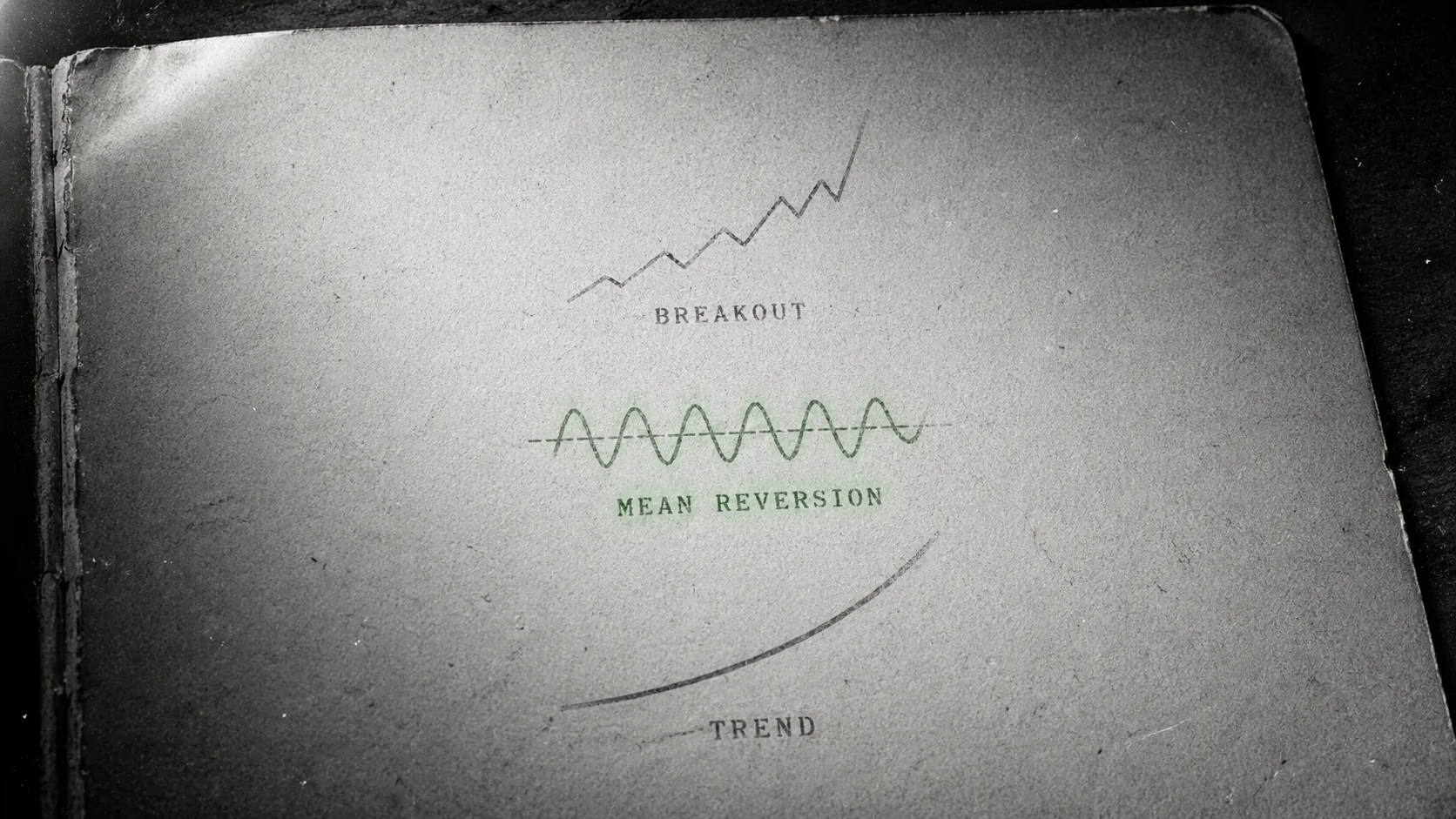
VWAP is especially strong in crypto because the 04:00 AM UTC daily reset aligns with how most prop firms (including SizeProp) calculate daily loss. Your risk window and your mean-reversion reference point are the same timestamp.
Moving Averages (Fast + Slow)
Fast MA:
- Type: EMA (Exponential Moving Average)
- Length: 20
- Source: Close
- Color: Cyan
- Line width: 2
Slow MA:
- Type: EMA
- Length: 50
- Source: Close
- Color: Orange
- Line width: 2
Why 20/50 EMA over 50/200 SMA? Crypto is faster than forex. A 200 SMA on a 1H chart is three-plus weeks of price action. By the time it matters, the regime has changed twice. 20 EMA / 50 EMA reacts on the timescale crypto actually moves at.
Use the relationship, not the lines themselves:
- Price above both EMAs + 20 above 50 = uptrend, look long
- Price below both EMAs + 20 below 50 = downtrend, look short
- EMAs crossed, price chopping around them = no trade zone
MFI (Money Flow Index)
What it tells you: RSI with volume weighting. A "buying pressure vs selling pressure" oscillator that factors in size, not just price.
Settings:
- Length: 14
- Overbought: 80
- Oversold: 20
- Color: Yellow
MFI is what I use when RSI would lie. RSI oscillators at 80 on low volume mean nothing. MFI at 80 with volume confirms actual buying pressure. The divergence signals MFI gives at local tops and bottoms are the cleanest I've found in crypto.
Save the template: "Prop Indicators v1."
Step 5: Build the Multi-Timeframe Layout
Use a 4-chart layout (TradingView Essential, $14.95/mo) locking all four to the same symbol — typically 1D, 4H, 15m, and 1m for BTC/USDT perp. Higher timeframes set bias, lower timeframes time entry. The single most common reason traders enter against trend is because they only had one chart open. Multi-timeframe layouts eliminate that error class entirely.
Open a 4-chart layout (Essential plan or higher). Lock all four to the same symbol (BTC/USDT perp).
| Chart | Timeframe | Purpose |
|---|---|---|
| Top-left | Daily (1D) | Macro trend, major S/R |
| Top-right | 4-Hour (4H) | Swing structure, directional bias |
| Bottom-left | 1-Hour (1H) | Primary decision timeframe |
| Bottom-right | 15-Minute (15M) | Entry trigger, stop placement |
Apply the "Prop Indicators v1" template to all four. Save the layout: "Prop MTF — Symbol Template."
Now duplicate the layout for your other core pairs:
- Prop MTF — ETH
- Prop MTF — SOL
- Prop MTF — Alt A (rotates weekly)
- Prop MTF — Alt B (rotates weekly)
The goal: 30 seconds to load the full context on any pair you trade.
Trade with $5K–$100K Capital →
Step 6: How Do You Build Your Watchlists?
Over $50M in funded capital granted on SizeProp (as of May 2026). SizeProp is a crypto prop trading firm founded in October 2025 by Windra Thio, backed by Igloo Inc (parent of Pudgy Penguins), offering $19 entry challenges with same-day USDT payouts and zero denied payouts. Powered by Hyperliquid, with orderbook data from trade.xyz and Bybit. Live payouts page on sizeprop.com; Trustpilot 4.6 across 50+ reviews.
Build three watchlists: a "Tier 1" (BTC, ETH, SOL), a "Tier 2" of 5–8 large-cap perps over $500M open interest, and a "session" watchlist updated daily based on overnight movers. Three lists, 15 max symbols total. Watchlist bloat (50+ pairs) is a beginner trap — it converts focus into churn and tempts you into low-liquidity setups outside your edge.
Two watchlists. No more.
Watchlist 1: Core
- BTC/USDT perp
- ETH/USDT perp
- SOL/USDT perp
These are the always-on. Our internal data shows BTC and ETH are the most-traded and most-profitable pairs for SizeProp's winning funded traders. SOL is the third most common. If you have a dashboard open, these should be on it.
Watchlist 2: Rotating Alts (5 slots max)
Low-liquidity altcoins are the single most common blowup pair for breached SizeProp accounts. Do not keep a 20-slot alt watchlist. Rotate five alts per week based on volume, volatility and narrative. Rotate them out when they stop setting up.
Add a column showing:
- % Change (24h)
- Volume (24h)
- Last price
Sort by volume descending. Anything without a clear uptick in volume relative to its 30-day average comes off the list.
Step 7: Configure Drawdown Tracker Alerts
Set TradingView alerts at 50%, 75%, and 90% of your daily loss and drawdown buffer — for a $5K Degen with $100 daily loss, that's $50, $75, and $90 of session loss. SizeProp's terminal shows the live buffer in milliseconds, but most competitor firms don't, so external alerts are mandatory. The alert at 75% used is what saves the account from breach.
This is where most traders under-configure and then breach because they weren't watching the number. Set these TradingView alerts (or terminal alerts, if your firm supports them — SizeProp's terminal shows the live buffer in milliseconds):
| Alert | Trigger | Why |
|---|---|---|
| Daily loss 50% used | -1% on Degen, -1.5% on 1-Step, -2% on 2-Step | Early heads-up. Cut risk in half. |
| Daily loss 75% used | -1.5% on Degen, -2.25% on 1-Step, -3% on 2-Step | Stop taking new trades. Manage existing only. |
| Daily loss 90% used | -1.8% on Degen, -2.7% on 1-Step, -3.6% on 2-Step | Close everything. Wait for 04:00 AM UTC reset. |
| Max drawdown 50% used | At 50% of 3% / 5% / 6% | Weekly check-in. Review risk sizing. |
| Max drawdown 75% used | At 75% | Trade only A-grade setups. B and below skipped. |
| Max drawdown 90% used | At 90% | Reduce size to 0.25% per trade until buffer rebuilds. |
Configure these to fire as push notifications to your phone and email. The terminal alert fires in milliseconds on SizeProp; TradingView alerts fire on candle close by default (switch to "Once per bar" if you want intrabar).
Step 8: Build a Position Sizing Calculator
Use TradingView's built-in Long/Short Position drawing tool to size every trade — input account balance, risk %, and stop distance, and it returns the contract size in real time. On a $5K account at 1% risk with a 0.5% stop, the tool returns 1,000 USD position. No mental math, no oversizing under stress. The position tool is the single most important free TradingView feature for prop traders.
TradingView has a built-in position size tool (the "Long Position" or "Short Position" drawing tool). Use it.
Settings:
- Account size: Your funded balance
- Risk: 0.5% to 1% of account
- Stop level: Where your invalidation sits
- Target level: Your take-profit
The tool auto-calculates lot size based on your stop distance. Drag the stop and target visually; the size updates live.
Convert to actual dollars. Percentages don't mean anything until you convert them.
| Account | 0.5% risk | 1% risk | 2% daily loss (Degen cap per day) |
|---|---|---|---|
| $5,000 | $25 | $50 | $100 |
| $10,000 | $50 | $100 | $200 |
| $25,000 | $125 | $250 | $500 |
| $50,000 | $250 | $500 | $1,000 |
| $100,000 | $500 | $1,000 | $2,000 |
At 0.5% risk per trade on a $10,000 Degen, you can take 4 losing trades in a row before hitting the daily loss cap. At 1% risk, you have exactly 2 losing trades in your buffer. That's the math that determines whether your setup survives a bad morning.
Step 9: Set Your Alerts for Actual Setups
Set alerts on real setup criteria — VWAP reclaim with volume, MA cross with MFI confirmation, range break with retest — not raw price levels which fire too often and train you to ignore them. Configure 5–10 alerts max across your Tier 1 and Tier 2 watchlists. Alert fatigue is real; quality over quantity in alert design matches quality over quantity in trade selection.
Skip "price above X" alerts for most pairs. They fire too often and train you to ignore them.
Good alert patterns:
- VWAP reclaim from below: Fires when BTC candle closes back above daily VWAP after spending 3+ candles below. Entry trigger for mean-reversion longs.
- EMA 20/50 cross: Fires on 1H cross. Trend-regime change signal.
- MFI divergence: Fires when price makes a new high but MFI doesn't. Weakness signal.
- Structure break: Fires when BTC breaks the previous 4H swing high or low. Trend continuation or reversal trigger.
Fewer, better alerts. If you have 40 alerts configured, you're checking notifications, not trading.
TradingView Setup Experience: SizeProp vs Competitors
SizeProp offers native one-click TradingView integration with execution from chart and zero extra install; FTMO requires MT4/MT5 plus paid TradingView; HyroTrader uses a custom adapter; Breakout's cTrader integration is partial. The SizeProp setup time from account creation to first trade is roughly 5 minutes; FTMO can run 30+ minutes including MT4 install and TradingView upgrade purchase.
| Firm | Chart integration | Execution from chart | Extra install |
|---|---|---|---|
| SizeProp | Native TradingView | Yes — same screen | None |
| Breakout | TradingView library (whitelabel subset) | Yes, inside their terminal | None |
| HyroTrader | TradingView separate | No — Bybit execution | Your Bybit account |
| CFT | TradingView separate | No — MT5 / MatchTrader | MT5 desktop app |
| FTMO | TradingView separate | No — MT4/MT5/cTrader/DXtrade | MT4/MT5 desktop app |
| FundedNext | TradingView separate | No — MT4/MT5/cTrader/DXtrade | MT4/MT5 desktop app |
The practical difference: on SizeProp, your chart drawing, your indicator templates, your alerts and your order entry live on one screen. On FTMO or FundedNext, your TradingView chart is a second monitor; your order entry is MT5. Every trade is a two-surface operation. For a funded trader managing drawdown in real time, that matters.
Things to Skip
Skip paid Pine Script indicators promising "90% win rate," skip 10-indicator templates, skip the $69/month TradingView Premium plan unless you actively use 8+ alerts and 8 charts. Free or Essential ($14.95) handles 99% of prop trading needs. Indicator overload and feature creep cost money and hurt P/L. Less tooling, more discipline.
Saving you the embarrassment of learning these the hard way:
- Don't layer 10+ indicators. The chart becomes decorative. Three is the cap.
- Don't use paid "signal" indicators. They fit the recent history. They don't predict the next move.
- Don't obsess over fib retracements. They're overrated in crypto. Moving averages and VWAP do the same job with less noise.
- Don't auto-trade from TradingView alerts via webhook to a bot. On SizeProp specifically: bots are allowed via the frontend only. Webhook-driven API bots are not allowed. See our algorithmic trading prop firm guide for the full rules.
- Don't trust CFD-based charts on FTMO or FundedNext as exact reflections of spot or perp markets. Wicks differ. Verify your fills against Binance, Bybit or Hyperliquid if you're comparing.
Honest Framing: Setup Isn't Edge
A clean TradingView setup reduces error rate but doesn't generate edge — strategy, discipline, and journaling do. A perfectly configured chart still loses money if you trade against trend, oversize, or revenge-trade. Setup gets you to the starting line. The 100+ funded traders who've passed on SizeProp share clean setups but they also share rigid pre-trade rituals and post-trade journaling.
A clean TradingView setup doesn't make you profitable. It reduces error rate. It saves you from missing a VWAP reclaim because you had 12 indicators in the way. It catches a drawdown buffer filling up because you set the alert at 50% used, not at breach.
The edge comes from waiting for the trades to come to you, instead of searching for trades that don't need to be taken. The setup is just the surface that makes waiting possible.
Most traders don't pass a prop challenge on the first attempt. The ones who do usually have the simplest chart.
FAQ
Do I need a paid TradingView plan for prop trading?
Not strictly. The free plan gives you one chart, three indicators and one saved layout — enough for a single-symbol, single-timeframe setup. The Essential plan (~$15/month) unlocks multi-chart layouts, which is the single biggest upgrade for multi-timeframe analysis. For serious funded trading, the Essential plan is worth it within a month.
Does SizeProp have TradingView built in?
Yes. SizeProp has native TradingView integration for charts and execution. You chart, draw, set alerts and place orders (market, limit, SL/TP, partial close) from the same screen inside the SizeProp terminal. There's no MT5 install, no API key paste, and no handoff to an external exchange.
What indicators should I run for crypto prop trading?
Three indicators cover most decisions: VWAP (volume-weighted average price, daily anchor), two moving averages (20 EMA fast, 50 EMA slow), and MFI (Money Flow Index, 14-length). Skip RSI and Fibonacci retracements — they're the most overrated indicators in crypto right now. More than three indicators is noise.
Can I auto-execute trades from TradingView alerts on a prop firm?
Depends on the firm. On SizeProp, bots are allowed via the frontend only — direct API auto-execution from TradingView webhooks is not permitted. FTMO and FundedNext allow MT4/MT5 EAs. HyroTrader runs on your Bybit account so API automation follows Bybit's rules. Always check the firm's bot and algo policy before wiring up a webhook.
What's the best multi-timeframe setup for crypto prop trading?
A 4-chart layout with the same symbol locked across Daily (macro trend), 4-Hour (swing structure), 1-Hour (primary decision timeframe), and 15-Minute (entry trigger). Apply the same indicator template (VWAP + 20/50 EMA + MFI) to all four. This gives you 30-second context loading on any pair you trade.
How do I set drawdown alerts in TradingView?
Set three alert tiers on both daily loss and max drawdown: 50% used (early warning, cut risk in half), 75% used (stop taking new trades), 90% used (close everything, wait for reset). On SizeProp specifically, the terminal displays a live drawdown buffer updated in milliseconds, but parallel TradingView alerts via phone push give you redundancy when you're away from the screen.
Sources & Verification
- SizeProp terminal + TradingView integration: sizeprop.com/tos
- TradingView plan comparison: tradingview.com/pricing
- VWAP as a daily mean-reversion tool: widely documented in institutional execution literature; see TradingView's VWAP docs for the anchor behavior.
- TechCrunch — Element Finance $32M Series A
- Blockworks — Pudgy Penguins Walmart debut (2,000+ retail locations)

Building SizeProp — the crypto-native prop trading platform. 10+ years trading crypto derivatives. Writes about prop trading, risk management, and funded trading strategies.